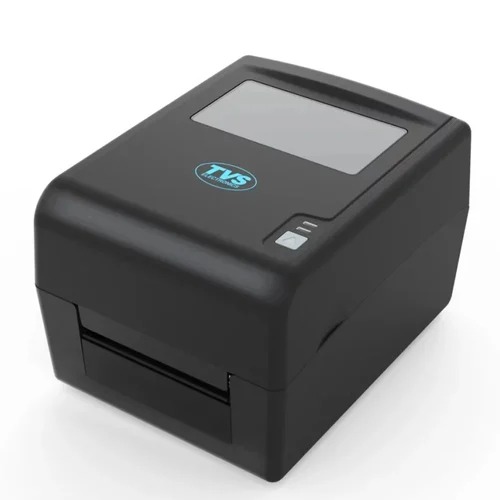
About TVS LP 46 Dlite
| Usage Type |
Desktop |
| Print Technology |
Thermal Transfer |
| Print Width |
4 inch |
| Print Resolution |
203 dpi |
| Print Series |
LP 46 LITE series |
| Connectivity |
USB |
| Print Speed |
6 ips |
| Max Roll Diameter |
127 mm |
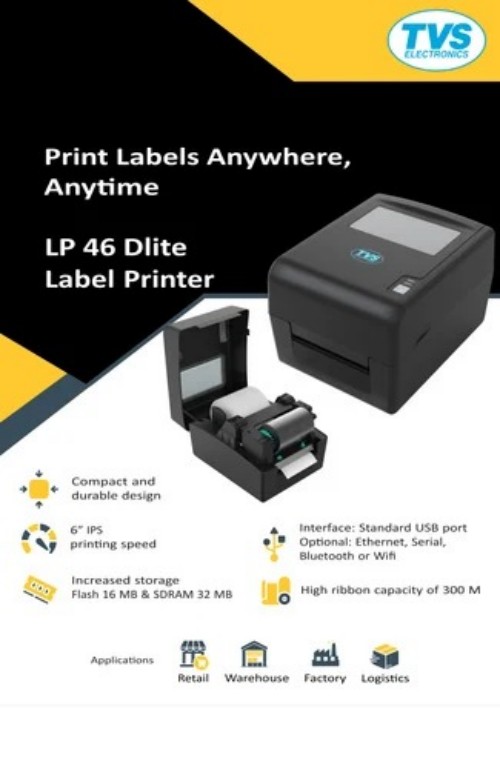
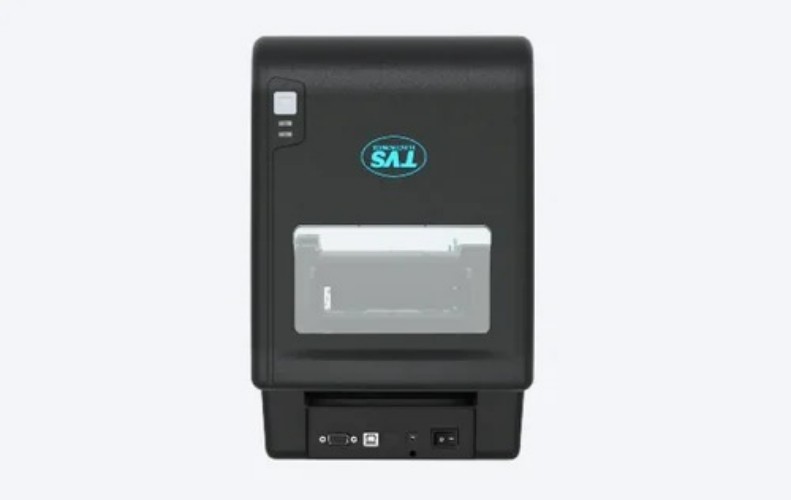
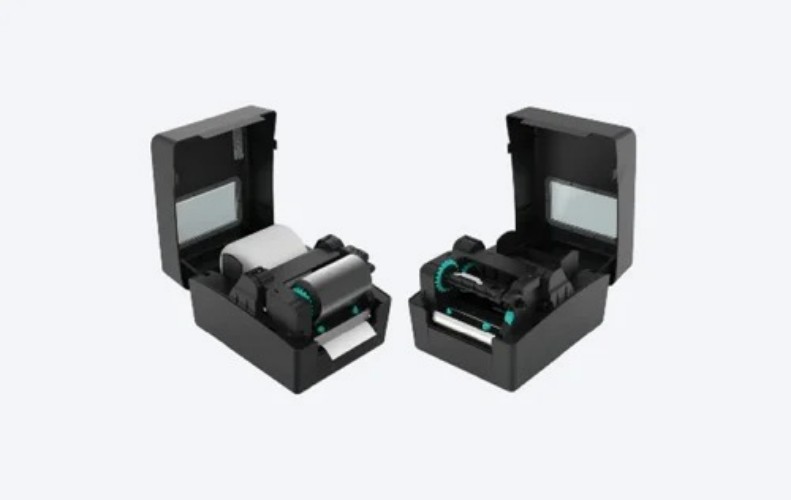
The LP 46 Dlite Barcode Printer is an advanced solution offering unmatched reliability for high-resolution label and barcode printing. Utilizing the latest technology to elevate label printing with the USB interface, increased storage capacity and a high ribbon capacity, the printer is designed for convenience and efficiency. Its compact space saving design, combined with quick installation process, and transparent window for easy monitoring make it an ideal choice for businesses looking to streamline their printing operations.
High Performance and VersatilityThe TVS LP 46 Dlite label printer stands out with its ability to handle large label volumes, supporting up to 10,000 labels daily. Its print width of 4 inches and compatibility with various label types-continuous, gap, black mark, and notch-make it suitable for shipping, retail billing, barcode generation, and more. A print speed of 6 inches per second ensures efficiency even during peak workloads.
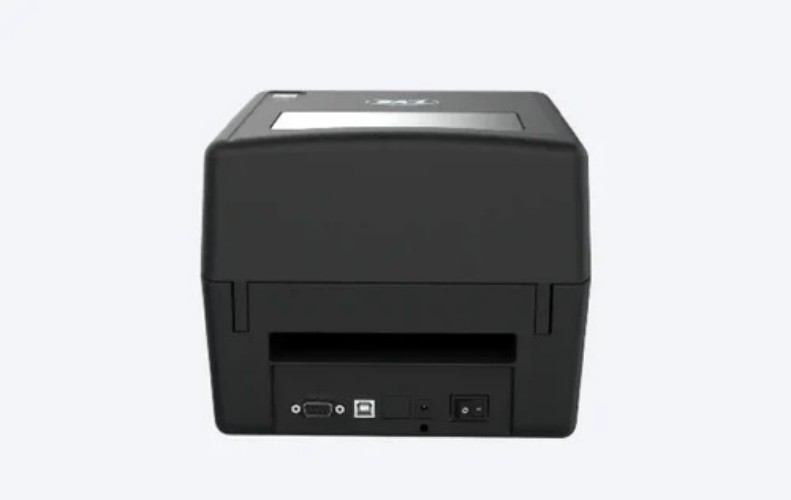
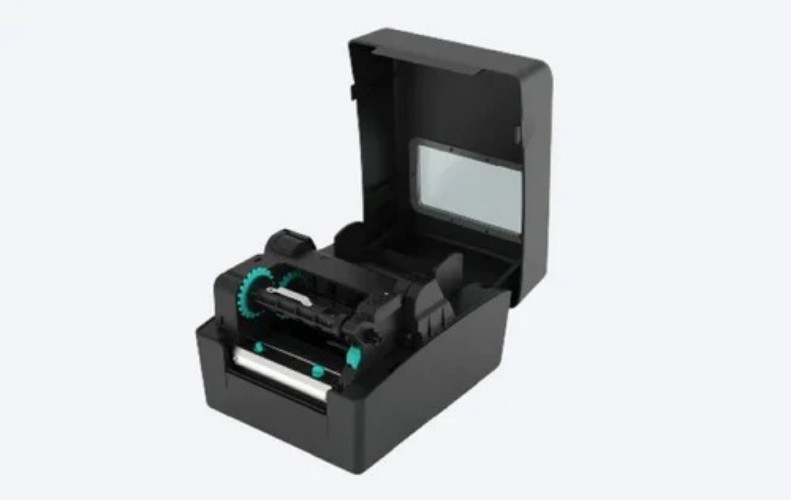
User-friendly Operation and Easy IntegrationThanks to its compact desktop design and simple paper loading mechanism, the TVS LP 46 Dlite offers seamless operation for both novice and experienced users. USB 2.0 and serial interfaces are standard, with Ethernet available as an option, ensuring easy integration into a wide range of IT environments. Status LEDs provide clear feedback on device operation and printing status.
Reliable and Cost-effective Printing SolutionEngineered for consistent performance, this printer features a 32-bit RISC processor and up to 8 MB SDRAM, ensuring rapid processing of label data. Its energy-efficient operation consumes a maximum of 60W, while its rugged construction keeps noise levels below 60 dB, making it a practical choice for busy workplaces that require high reliability at a manageable cost.
FAQ's of TVS LP 46 Dlite:
Q: How do I load media and ribbons into the TVS LP 46 Dlite label printer?
A: To load media and ribbons, simply open the printer's top cover, place the media roll (up to 127 mm diameter) inside, and ensure the ribbon (if thermal transfer) is aligned with the ribbon guides. The user manual provides step-by-step instructions for easy and quick loading.
Q: What types of labels and media sizes can the TVS LP 46 Dlite handle?
A: The printer accommodates a variety of label types, including continuous, gap, black mark, and notch labels. Supported media thickness ranges from 0.06 to 0.25 mm, with a maximum paper width of up to 110 mm and a print width of 4 inches.
Q: When should I choose between direct thermal and thermal transfer printing modes?
A: Direct thermal is ideal for short-term labeling needs, such as shipping or retail receipts, where durability is not critical. For long-lasting, resistant labels, especially in environments with heat or chemicals, thermal transfer mode is recommended, utilizing ribbon for robust printing.
Q: Where can the TVS LP 46 Dlite be installed for optimal use?
A: As a compact desktop unit (215 x 178 x 155 mm, 2.5 kg), it fits conveniently on counters or workstations in shipping departments, retail checkout areas, or warehouses. Ensure good ventilation to keep within the operational temperature range of 5C to 45C.
Q: What is the process for connecting the printer to my computer or network?
A: Connect via USB 2.0 or Serial (RS232) for standard installations. For network requirements, select the optional Ethernet interface. Install the provided drivers from the CD or manufacturer's website for smooth integration with your existing systems.
Q: How does the TVS LP 46 Dlite benefit high-volume label printing operations?
A: With fast print speeds (6 IPS), high-capacity ribbons (300 m), and support for up to 10,000 labels per day, this printer streamlines operations, minimizes downtime, and ensures clear, reliable output, making it ideal for distributors, manufacturers, and retailers needing efficiency.
Q: What safety and storage precautions should I follow for this printer?
A: Operate the printer within 5C to 45C, and store it between -20C and 60C. Maintain a clean, dust-free environment and ensure proper ventilation to maximize lifespan and consistent print quality.



 Send Inquiry


 Send Inquiry